
How to Build a Personal Brand Page (Without Hiring a Designer)
What a personal brand page actually is, why it matters, and the exact steps to build one — no coding or design skills required.

Your audience shouldn't have to search for you. If someone hears about you and wants to learn more, they should land in one place that tells them exactly who you are and what to do next. That's what a personal brand page is for.
Here's how to build one properly.
What is a personal brand page?
A personal brand page is a single webpage designed to introduce you, showcase your work, build trust, and guide visitors toward one clear action — whether that's booking a call, buying a product, contacting you, or joining your community.
Unlike a traditional link in bio, it isn't just a list of buttons. It's designed to answer the questions every visitor has: Who are you? What do you do? Why should I trust you? What should I do next?
Why it matters
Most people lose potential opportunities because their information is scattered across Instagram, LinkedIn, a booking tool, and an email address — none of it connected. A personal brand page fixes that. Instead of making people search, you give them one destination that tells your story and makes taking action simple.
Imagine you meet someone at a conference and they ask, "Where can I learn more about what you do?" Would you rather send them five different links, or one professional page with everything they need?
1. Start with a clear purpose
Before you touch any tool, decide what you actually want visitors to do. Book a call? Buy a product? Join a waitlist? A page trying to do ten things usually does none of them well — choose one primary goal and let everything else support it.
2. Keep it to one destination
Include only the links that actually help visitors reach your main goal. Quality beats quantity — five apps and profiles scattered everywhere is exactly the problem you're solving.
3. Write a clear introduction
A short, specific bio does more work than a long list of credentials. Say who you help and how, in one sentence — something like "I help small businesses attract more customers through practical digital marketing." Simple, specific, easy to understand.
4. Make the call to action obvious
Too many buttons reduce action. Choose one primary button — Book Now, Contact Me, Get Started — and make it impossible to miss.
5. Add real proof
A testimonial, a client result, a portfolio piece. People trust evidence more than promises — even one genuine testimonial is better than none.
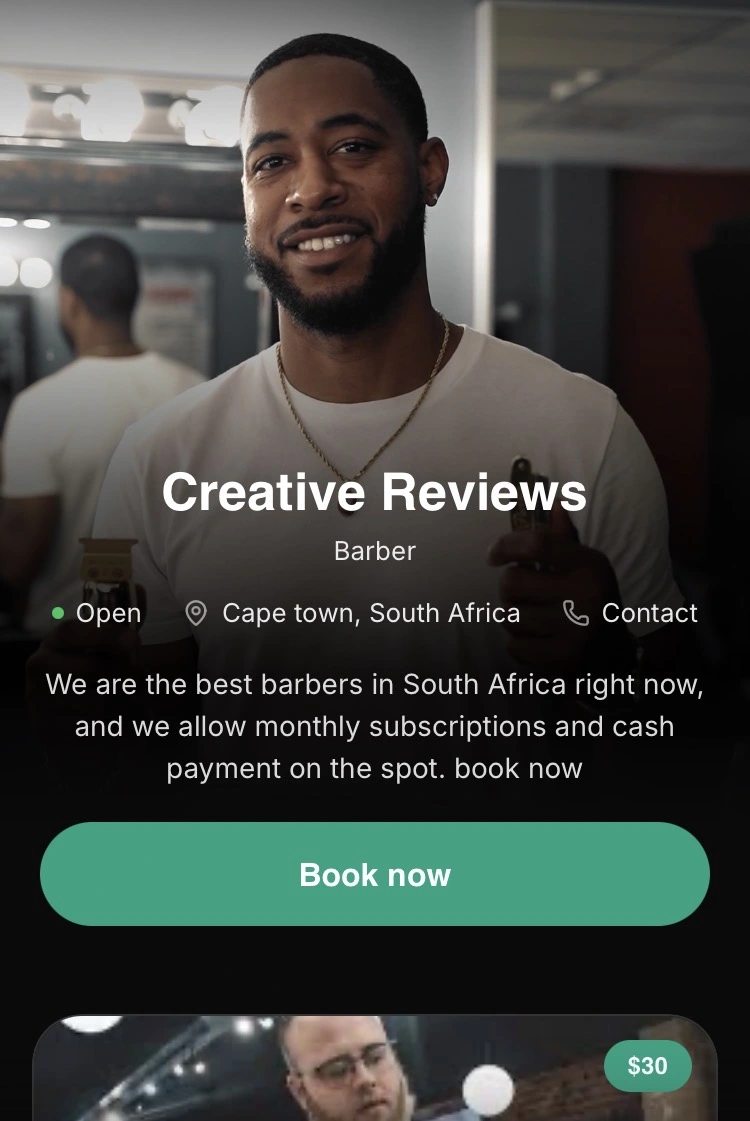
6. Design for mobile first
Most visitors will open your page on a phone. Before sharing it, test every button, check your image sizes, and make sure the text is actually readable. A great desktop page means very little if it's frustrating to use on mobile.
Tools you'll need
You don't need expensive software or design experience.
| Tool | What it does | When you'll use it |
|---|---|---|
| A personal branding platform (e.g. Linkwards) | Builds and hosts your page | Before publishing |
| A phone camera | Takes your profile photo | Before launch |
| A notes app | Drafts your bio and offer | Before you start building |
Common mistakes
- Building the page before deciding what action you want visitors to take
- Listing every social account instead of the two or three that matter
- Writing a bio full of credentials instead of one clear sentence
- Skipping proof entirely — no testimonials, no results
- Never checking how the page looks on a phone
Your first step
- Write one sentence: who you help, and how
- Decide the single action you want every visitor to take
- Pick your 2-3 most important links
- Find one piece of real proof to include
- Build your page and test it on your own phone
Where Linkwards fits in
Linkwards is a personal branding platform built around exactly this process. You get one personal brand page with your links, services, bookings, and payments in one place — with zero commission on anything you sell or book. See how it works or create your free page in a few minutes.